Free
Record income and expenses, and see totals by category.
 CoolMeow
Track expenses with your partner, housemates or friends. Add a photo or note when there is more to remember.
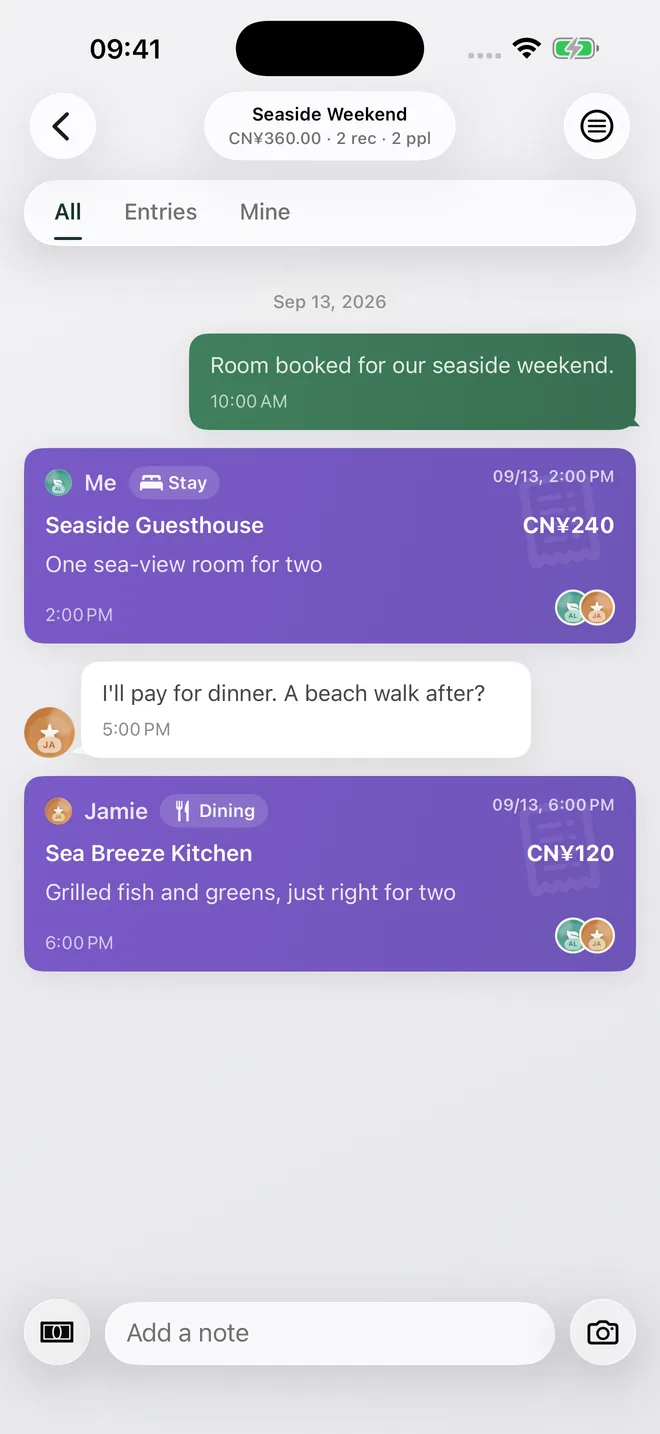
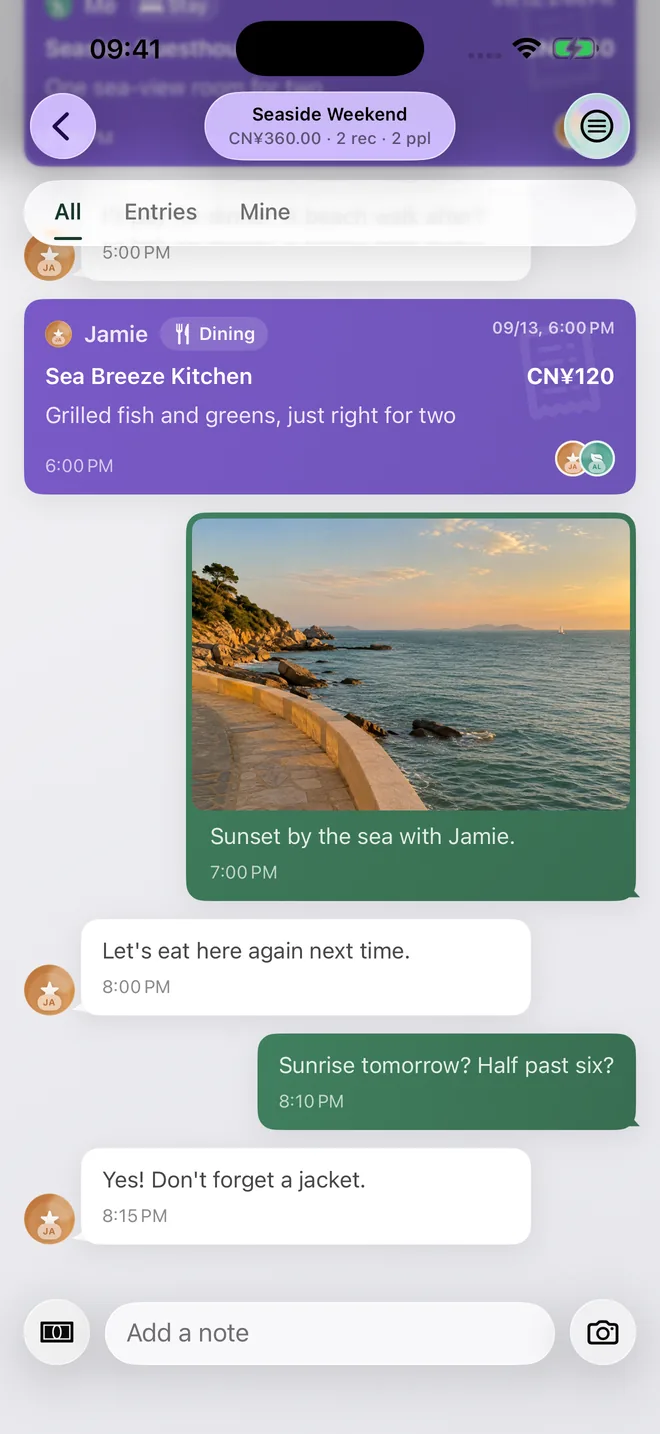
A weekend by the sea: add the room and dinner, attach a photo, and leave a note that says you want to come back. Months later, the totals are still there, along with the meal and the view.
Check a receipt before saving it, open the entries behind a chart, and keep the original amount when you pay in another currency.
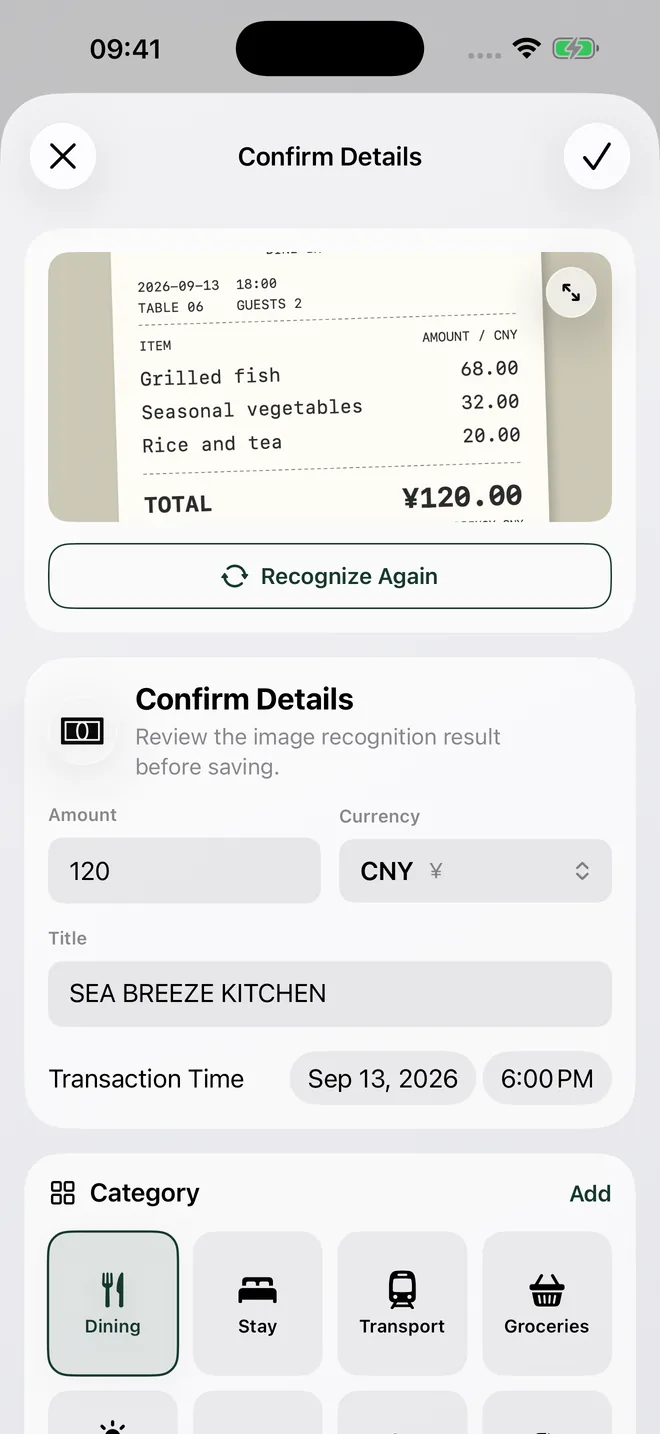
Take a photo and the app fills in a draft. Fix the amount, merchant or time if needed, then save it.
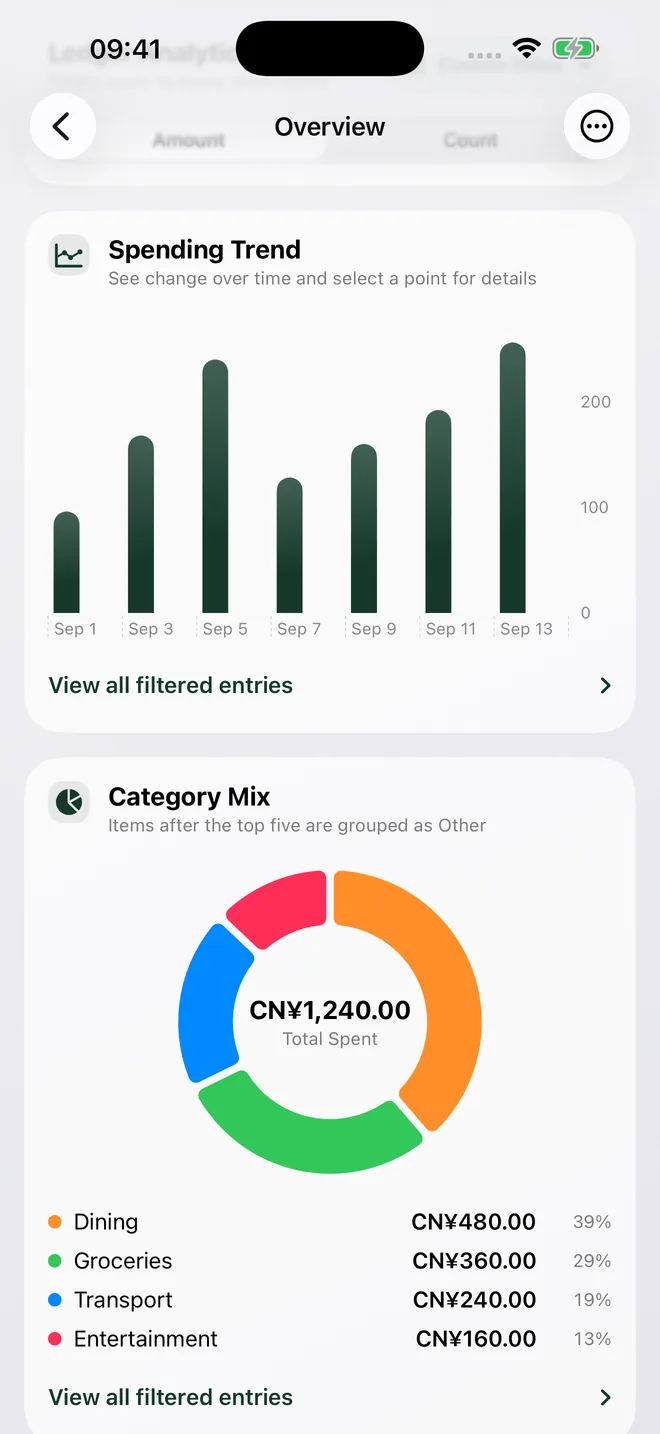
View spending by date, category or member. Tap a number to see the entries that make it up.
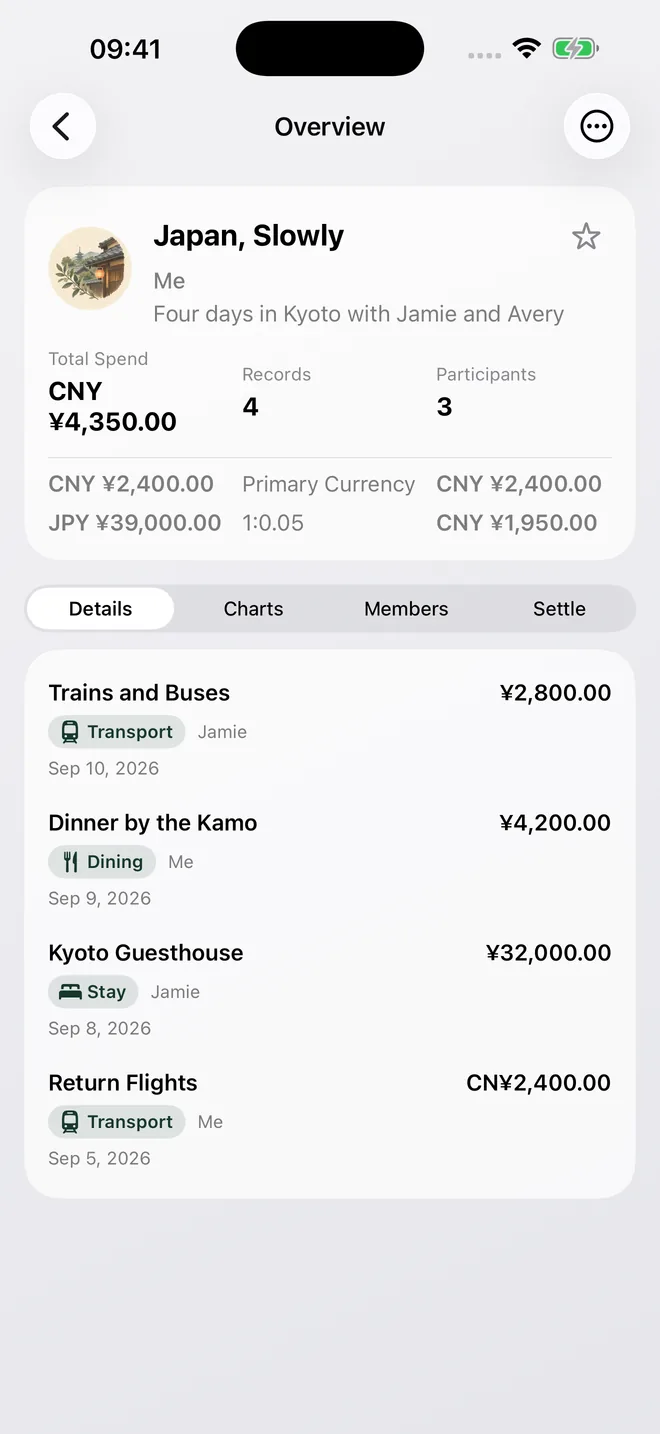
Record what you paid while travelling. The ledger keeps the local amount and shows the total in your main currency.
Send an invite and members can start recording. The owner decides who can view, edit or approve entries.
Search by merchant or note. You can also keep everyday books separate from trips.
See where receipt images go and what the app can and cannot do with a split.
The app puts recognition results in a draft. Fix anything that is wrong, then save it.
Images go only to the dedicated receipt-recognition service. That service cannot edit your ledger.
The app records the result. It cannot send money or make a payment.
Free covers everyday bookkeeping. Shared ledgers, multi-device sync and receipt recognition need Basic. Current prices and recognition limits are shown on the in-app purchase page.
No. Invited members can join while the owner has an active Basic membership.
No. The app puts the result in a draft and waits for you to review and save it.
No. The app calculates and records the split. You make the actual payment elsewhere.